Connect to Power
Caution
Ensure that the power supply is turned off before connecting it to the equipment.
Important
Using the wrong type of power supply can damage the equipment. Ensure that the power supply is connected properly and of the recommended type.
Important
Before you connect the Communicator to power, ensure that the PROFIBUS address is set on the rotary switches. If the PROFIBUS address is set when the Communicator is operating, you must power cycle the Communicator for the new setting to take effect.
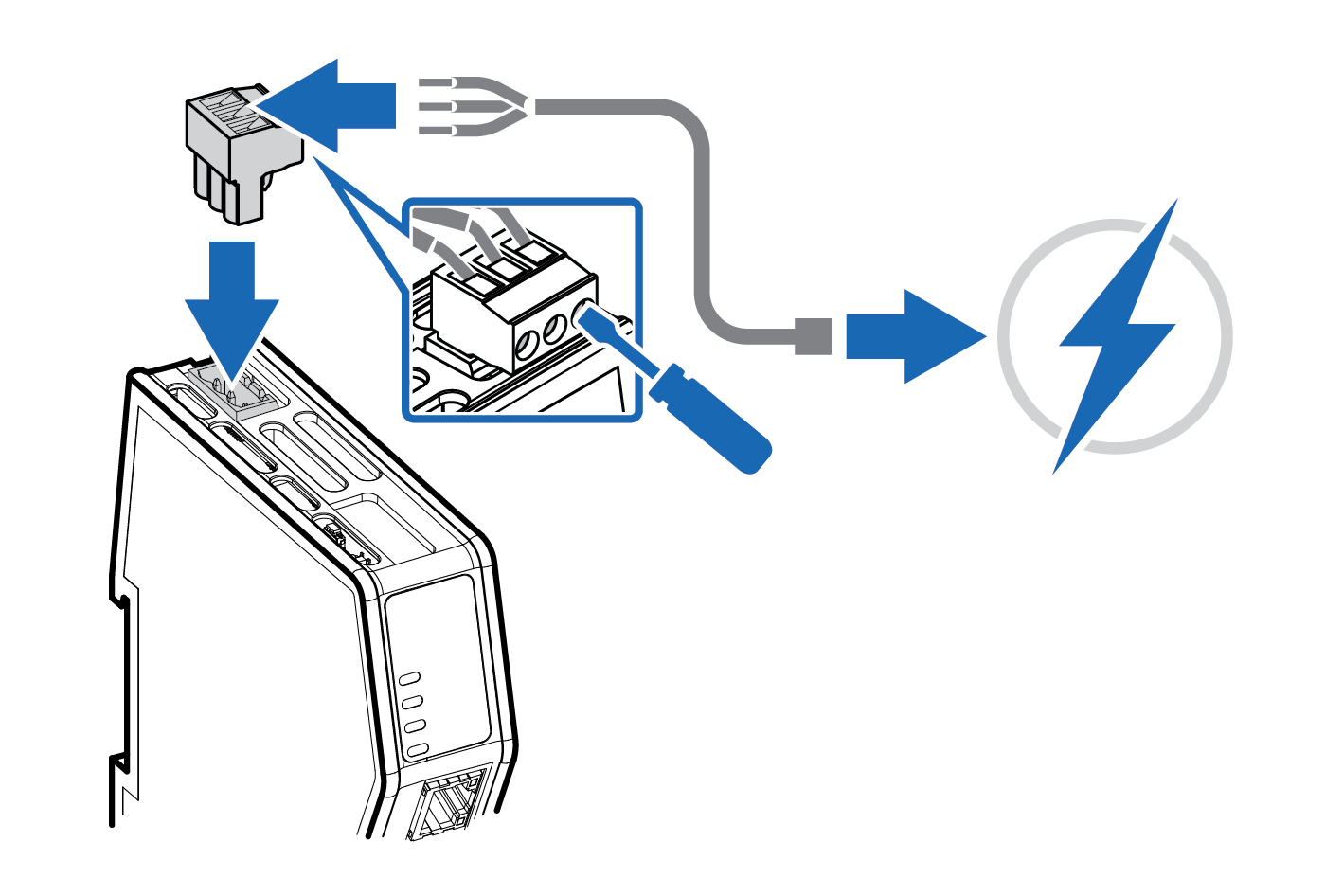 |
Insert the cable wires to the terminal block and tighten the wire clamp screws.
Power port | Pin | Description |
|---|---|---|
| ||
1 | 12-30 VDC Power Connector | |
2 | Ground (GND) | |
3 | Functional Earth (FE) |
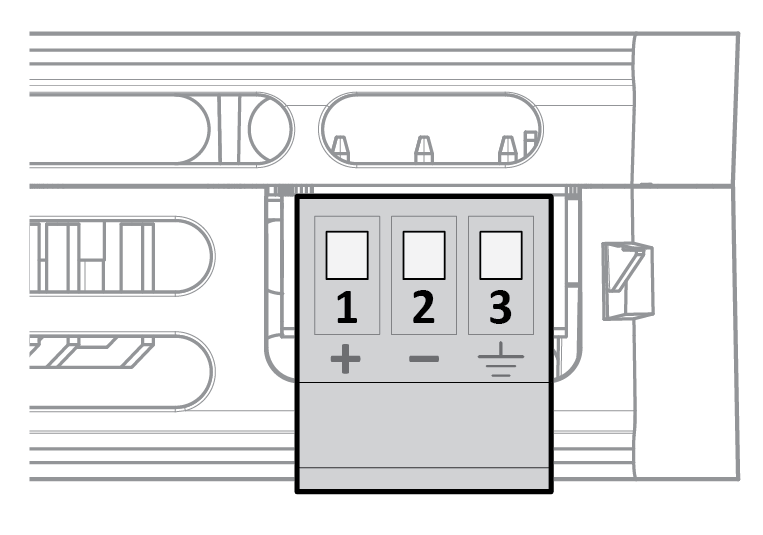
Connect the terminal block to the Communicator.
Connect the Communicator to a power supply.
Turn on the power supply.
To Do Next
Connect the Communicator to the EtherNet/IP and serial subnetwork.
Check LED status, refer to Communicator LED Indicators.