Security Switch
Note
After completing the configuration of the Communicator, lock the security switch to prevent unauthorized access to the Communicator built-in web interface.
When the security switch is in its locked position, the Communicator built-in web interface can not be accessed and the Communicator can not be configured using the built-in web interface. Network specific parameters, configured via the PLC is still available.
To Lock and Unlock the Security Switch
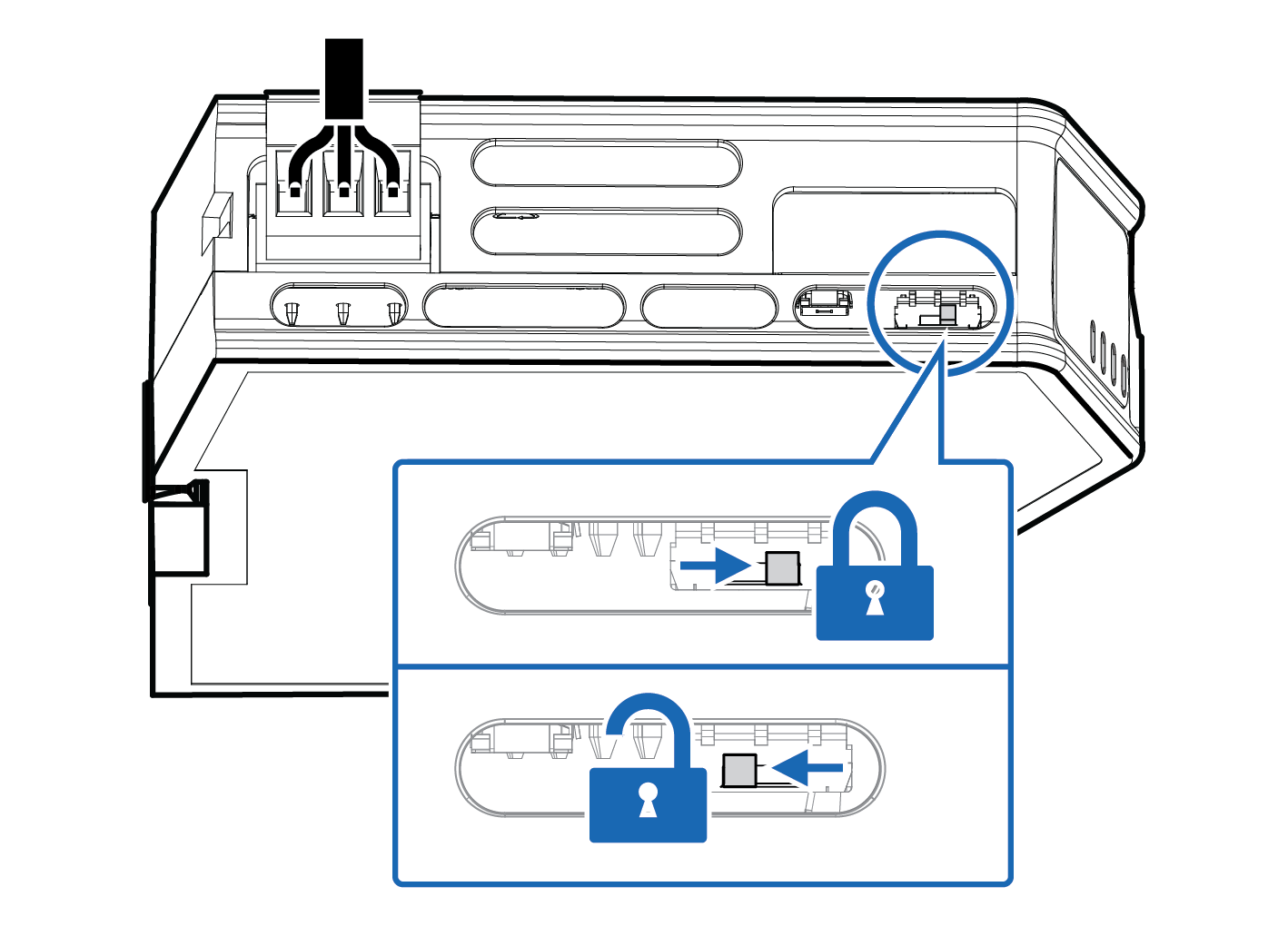 |
Use a pointed object, such as a ballpoint pen.
To lock the security switch, push the toggle towards the Communicator front.
To unlock the security switch, push the toggle towards the Communicator back.
Security Switch Status LED
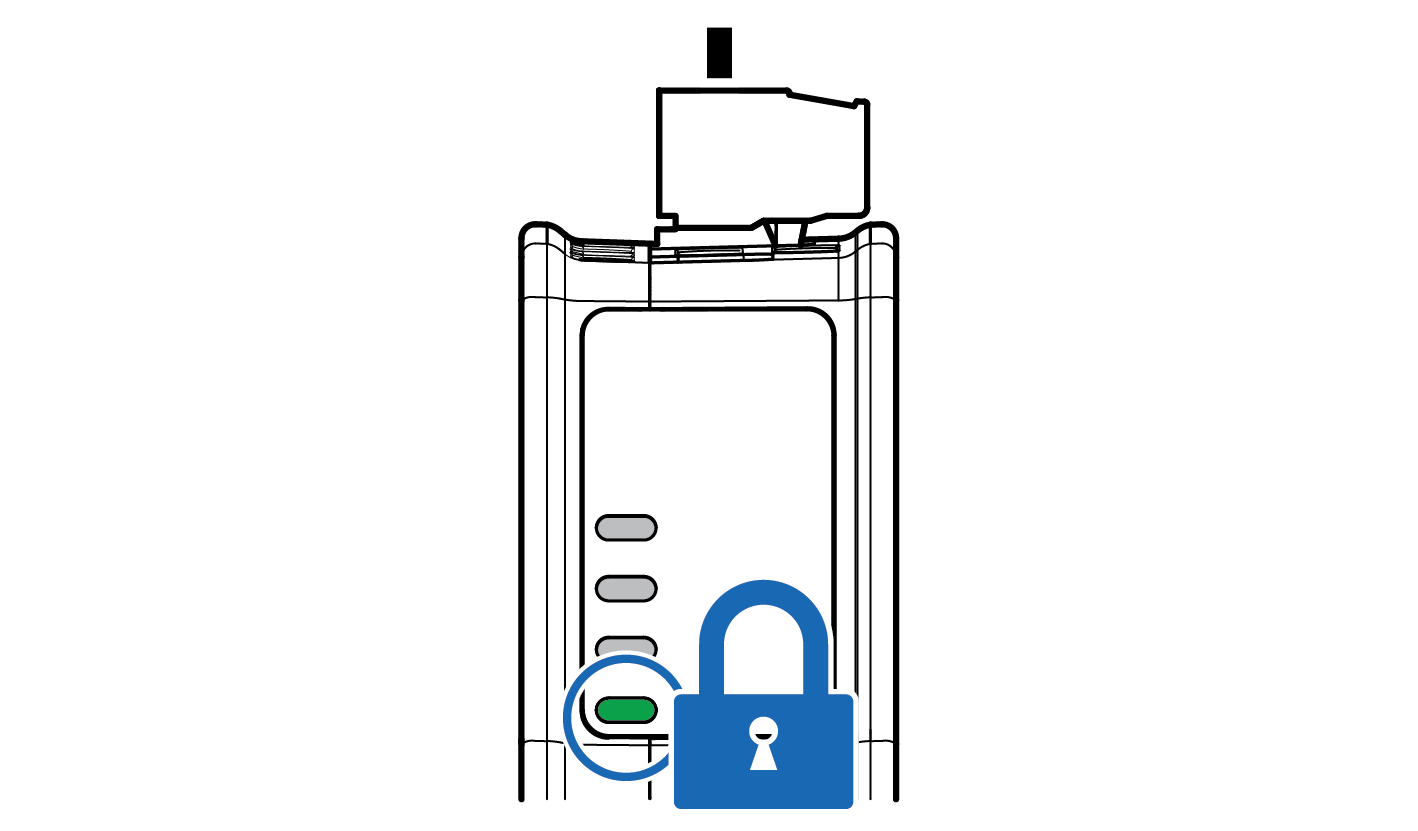 |
When the security switch is in its:
locked position, the security switch status LED turn solid green.
unlocked position, the security switch status LED is turned off.