Communicator Status Monitor
On the Home page, you can get a quick overview of the network and the Communicator operating status.
Figure 88. Home page
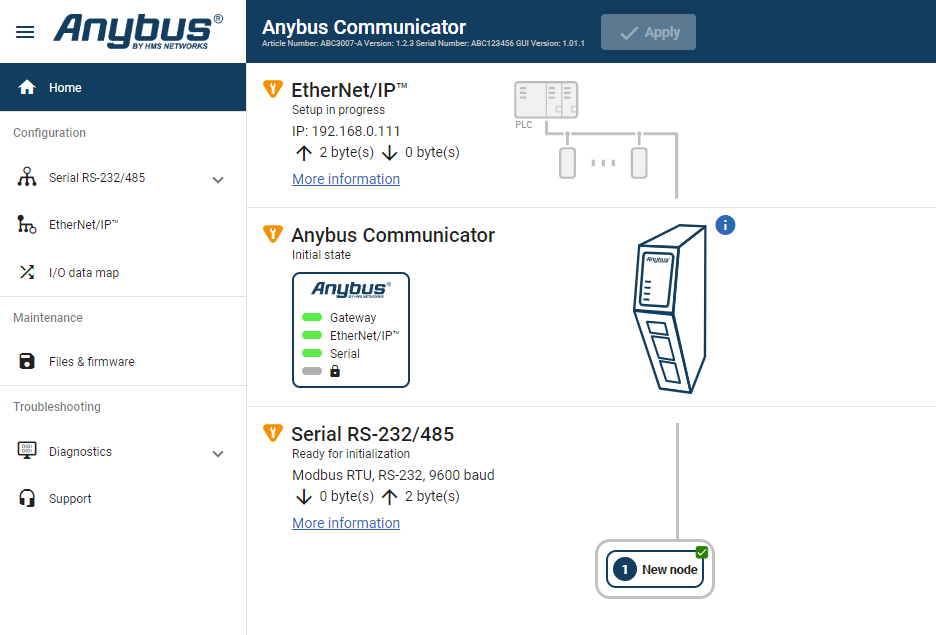 |
Gateway status
Overview the Communicator LED indications remotely.
Refer to Communicator LED Indicators.
Node Status
Overview the status for each node added to the subnetwork.
Network Status and Settings
Overview communication status and the current networks settings.
Status Symbols
Symbol | Description | |
|---|---|---|
| Internal error has occurred and operation cannot be guaranteed. | |
| Out of Specification. | |
| Check Function:
| |
| Normal operation. |