Create Transaction Templates
Create Read Barcode Data Parameter
Before You Begin
The Communicator reads values delivered from to the Barcode Scanner node on to the PLC.
The Barcode Scanner sends data whenever it is available, without any request or handshake from the Communicator.
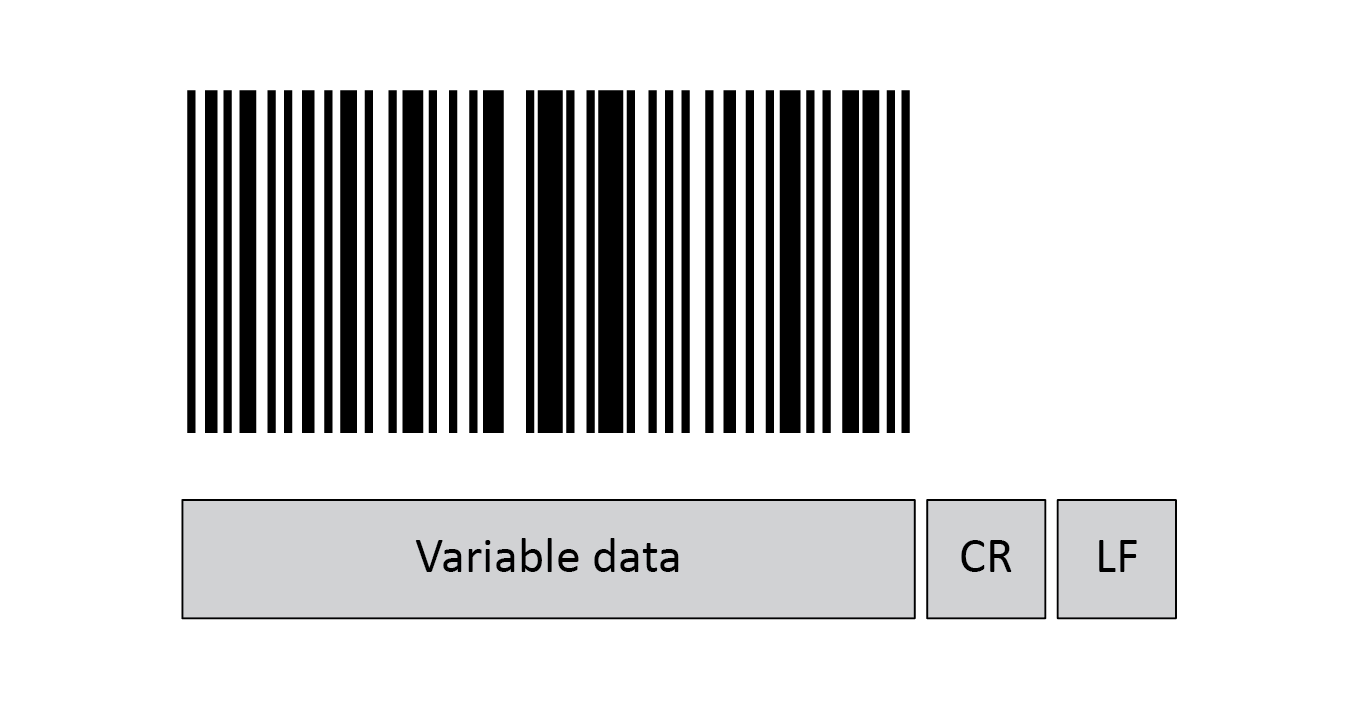 |
In this example we have added three frame fields for the barcode data transaction:
One Variable data frame for the length of the barcode.
We use a fixed value.
The maximum payload length is 31 (ASCII).
The Barcode Scanner is configured to append:
One Carriage Return character (CR) to the barcode.
So we create one Constant frame with the Value 13 (ASCII).
One Line Feed character (LF) to the barcode.
So we create one Constant frame with the Value 10 (ASCII).
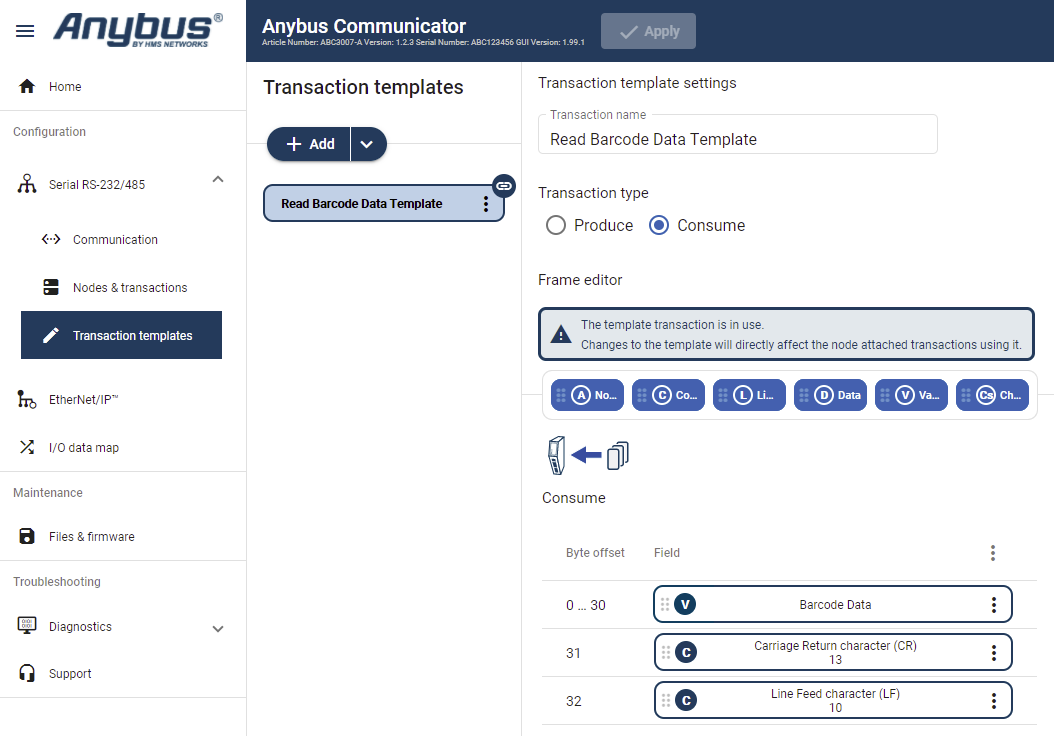 |
Add an Empty consume template and select it.
Name the template Read Barcode Data.
In the Frame editor, add four frame field with the following settings:
Table 14. Consume frame fieldsFrame fields
Name
Type
Value
Fixed field
Maximum payload length
Process data delimiter
Subnet delimiter
End pattern
Variable data
Barcode Data
N/A
N/A
Yes, set here
31 bytes
None
None
0
Constant
Carriage Return character (CR)
Byte (1 byte)
13
Yes, set here
N/A
N/A
N/A
N/A
Constant
Line Feed character (LF)
Byte (1 byte)
10
Yes, set here
N/A
N/A
N/A
N/A