Reset to Factory Settings
Before You Begin
Factory reset will reset any on site made configuration changes and set the Communicator to the same state as leaving HMS production.
If the Firmware has been updated, factory reset will revert the Communicator configuration to initial state after the update.
To reset the Communicator:
Disconnect the Communicator from power.
Figure 120. Disconnect power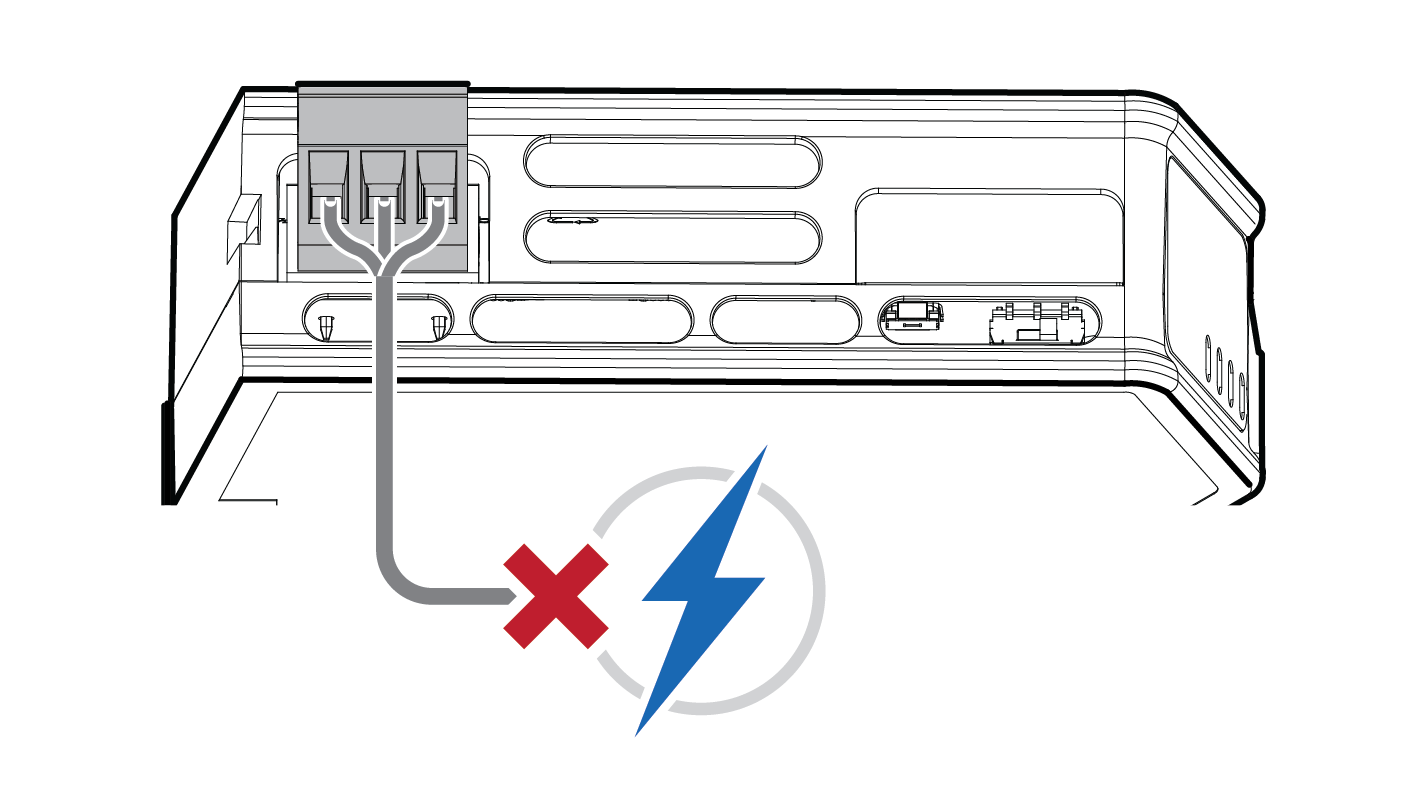
Use a pointed object, such as a ballpoint pen to press and hold the Reset button.
Figure 121. Press and hold Reset button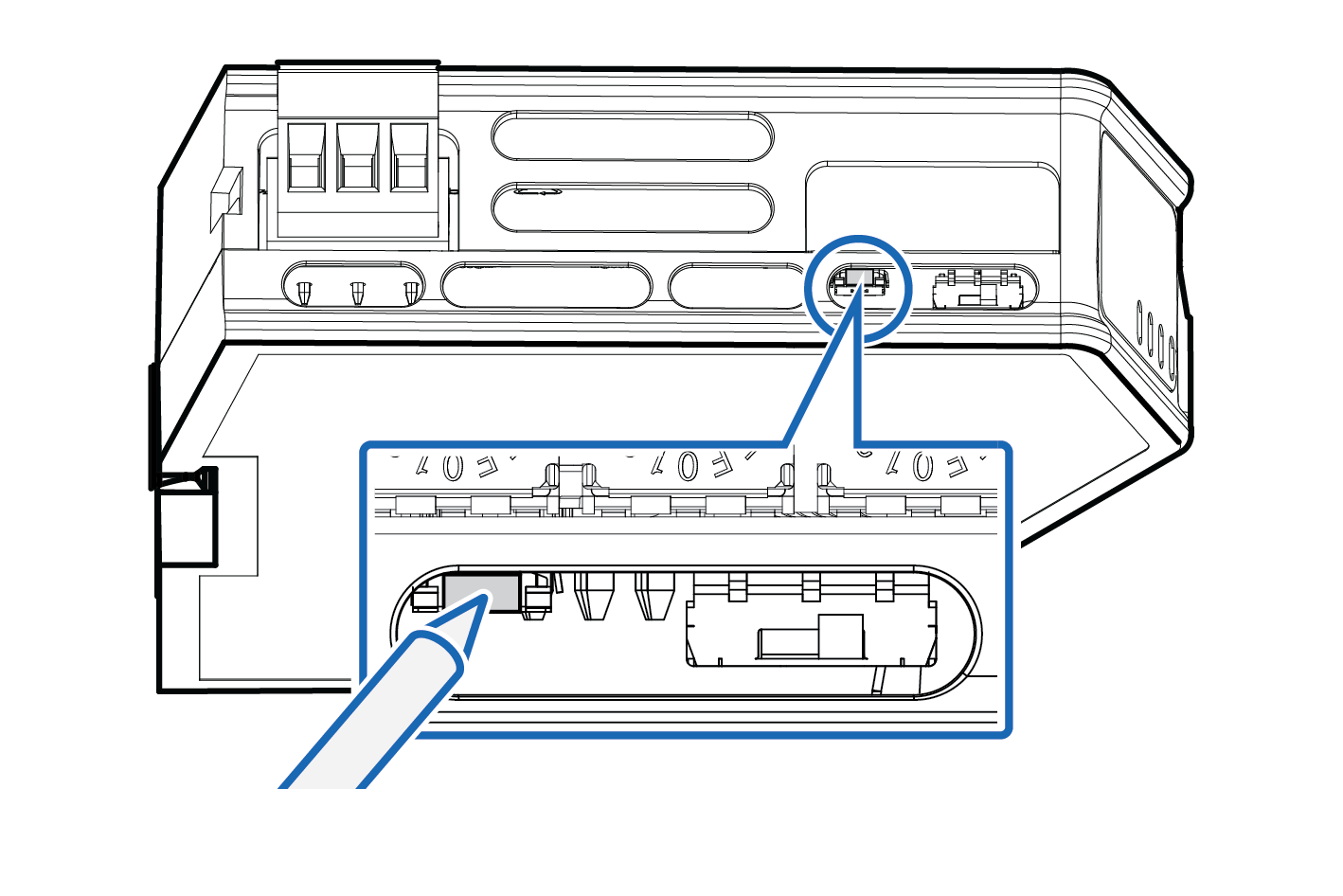
While holding the reset button, reconnect the Communicator to power.
Figure 122. Hold Reset button and reconnect power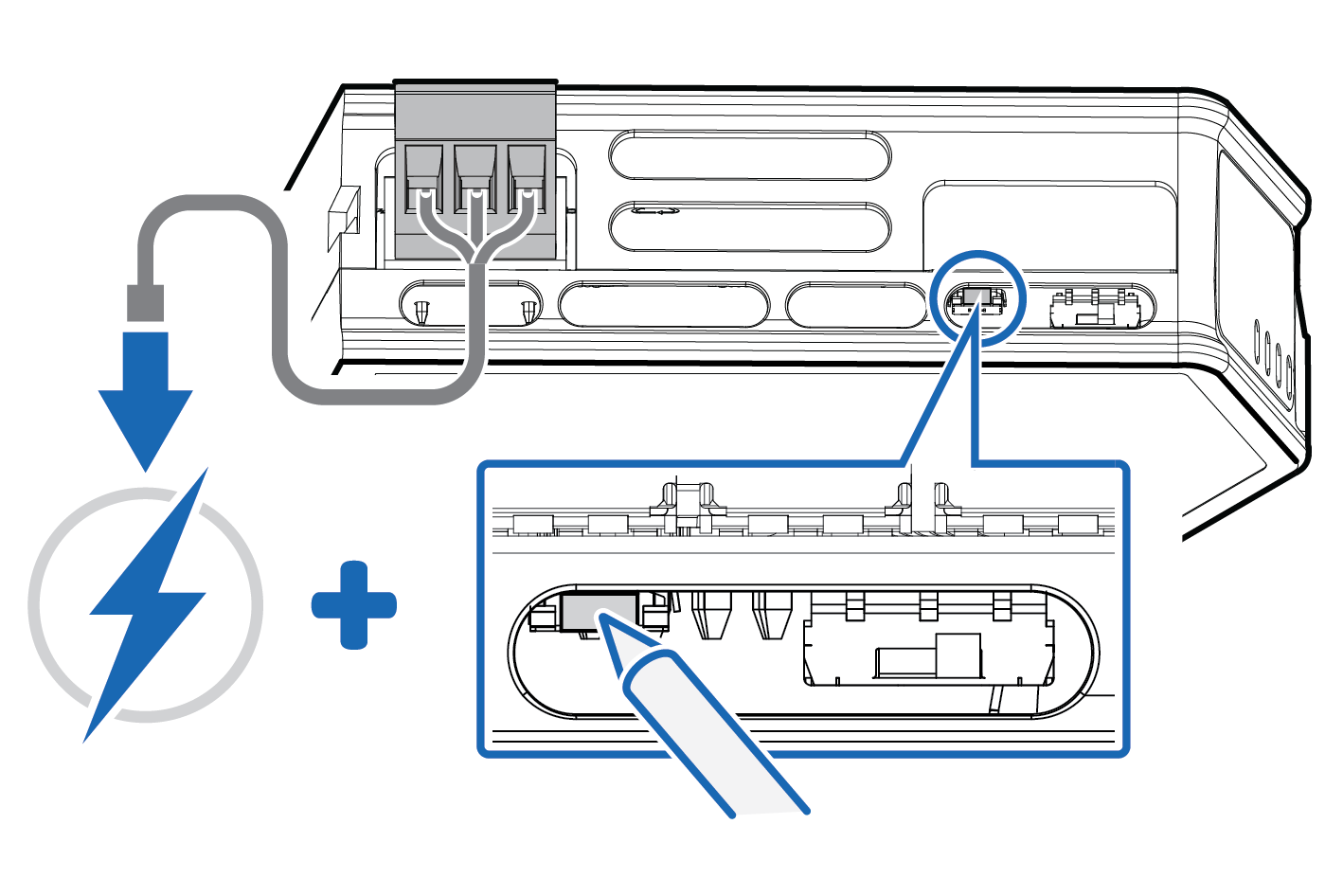
Release the reset button.
The Communicator enters exception state.
Reboot the Communicator.
When the Communicator has successfully rebooted, the Communicator configuration is reset to the factory default configuration or the current configuration after firmware upgrade.
To ensure that the Communicator built-in web-interface is synchronized.
Open the the Communicator built-in web interface.
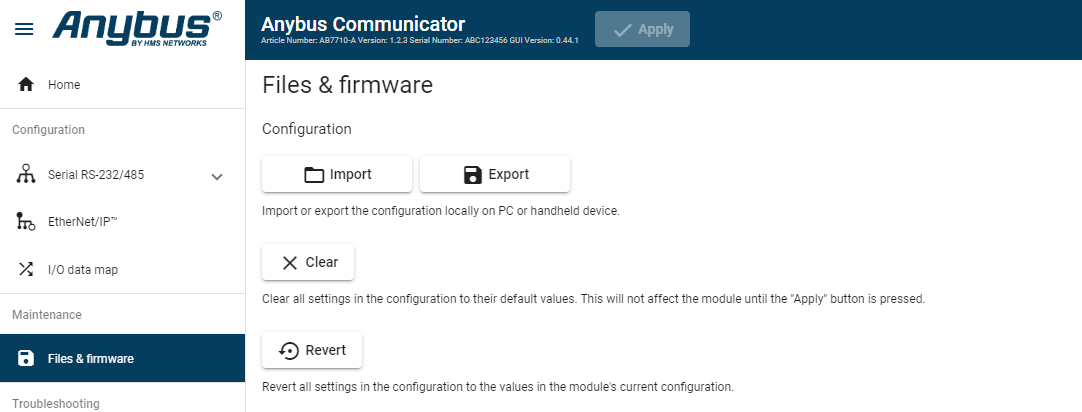
Navigate to the page and click .
Figure 123. Files & firmware, Revert