Endian Swap
By default EtherNet/IP uses the little-endian format.
Big-endian
The big-endian format places the most significant byte of the data at the byte with the lowest memory address.
Little-endian
The little-endian format places the least significant byte of the data at the byte with the lowest memory address.
Convert Between Big-Endian and Little-Endian
To convert between big-endian and little-endian you must reverse the byte order.
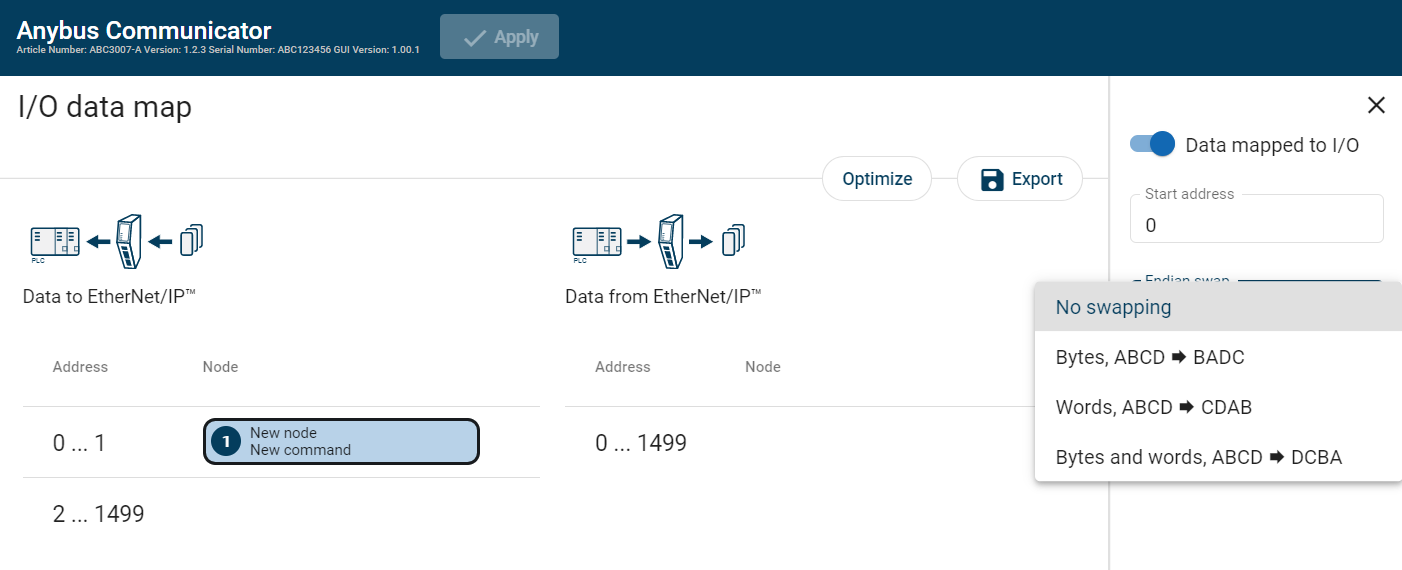 |
To reverse the byte order:
In the web-interface left sidebar menu, click I/O data map.
In the data map, select the transaction for which you want to do swap the byte order.
Select the endian swap type from the Endian swap drop-down menu.
Setting
Description
No swapping
Default setting
No swapping is performed on the data.
Bytes
Swap 2 bytes
A B C D becomes B A D C
Words
Swap 4 bytes
A B C D becomes C D A B
Bytes and words
A B C D becomes D C B A
To apply the settings, click Apply in the web-interface header, and follow the instructions.