Communication Serial Protocol
Before You Begin
Before starting the configuration, select the Serial protocol you want to use:
Modbus RTU, Default setting: Use for serial devices that conform to the Modbus communication specification.
Custom Request/Response: Create your own custom request/response transactions.
The transactions can be based on the Modbus communication specification or fully customized.
Custom Produce/Consume: Create your own custom produce/consume transactions.
Important
When changing the serial protocol, all settings are reset to default and all added nodes, transactions, and transaction templates are deleted.
On the Communication page, General settings:
To choose a Serial protocol, select Modbus RTU, Custom Request/Response or Custom Produce/Consume.
Figure 26. Communication, Serial protocol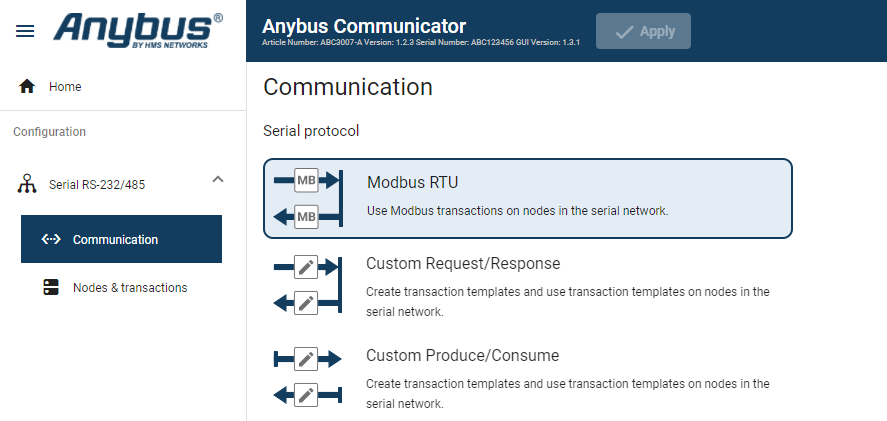
To confirm the selected protocol, click Change serial protocol.
Figure 27. Confirm change of serial protocol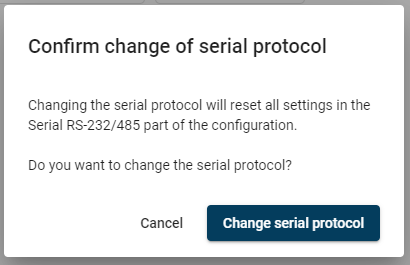
Apply Configuration
To apply the settings, click Apply in the web-interface header, and follow the instructions.