Communication Basic Settings
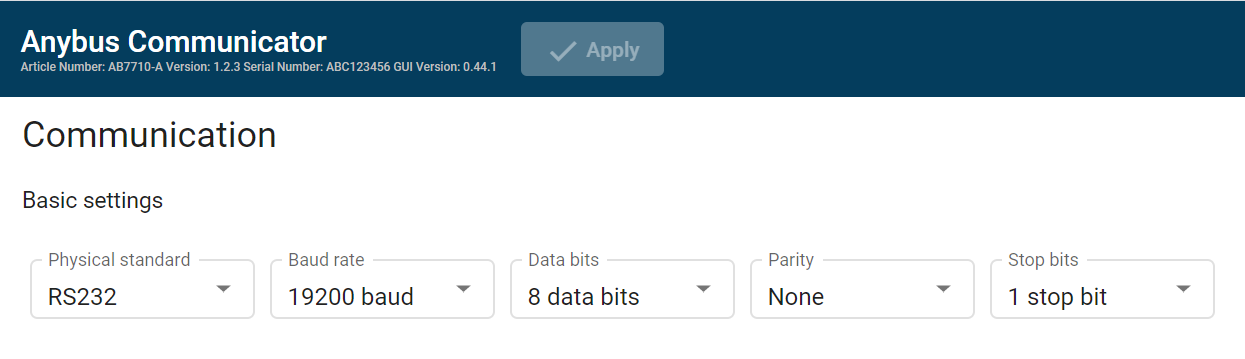 |
Specify the physical interface type for the device connected to the Communicator.
Select a physical standard from the Physical standard drop-down menu.
Setting
Value
Description
Physical standard
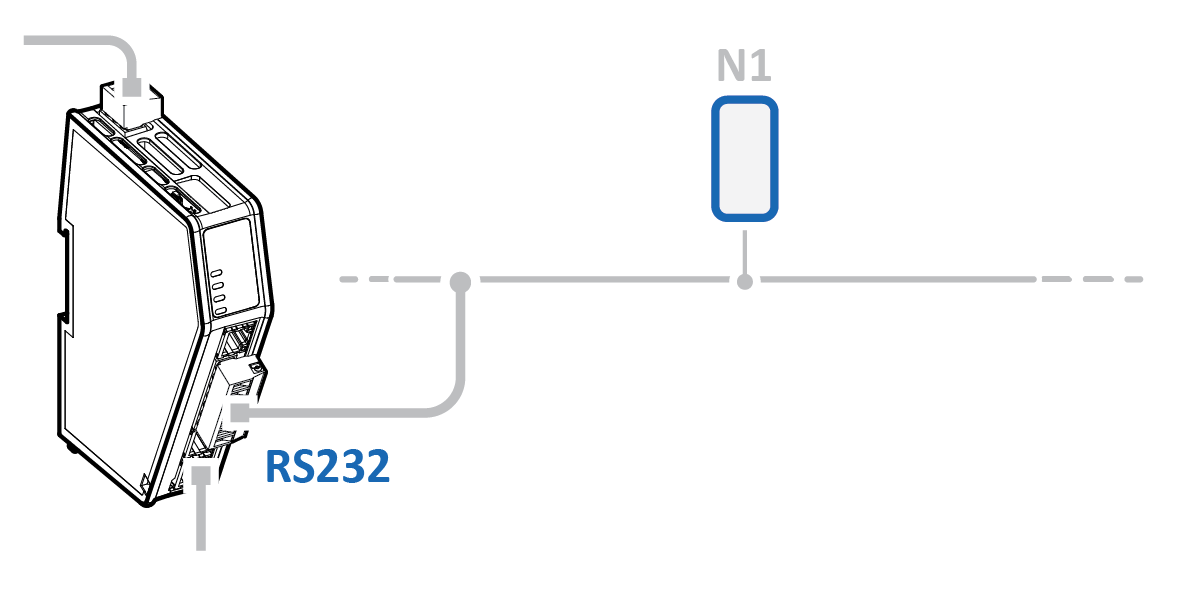
RS-232, Default standard
Use RS-232 when one single node is connected to the subnetwork.
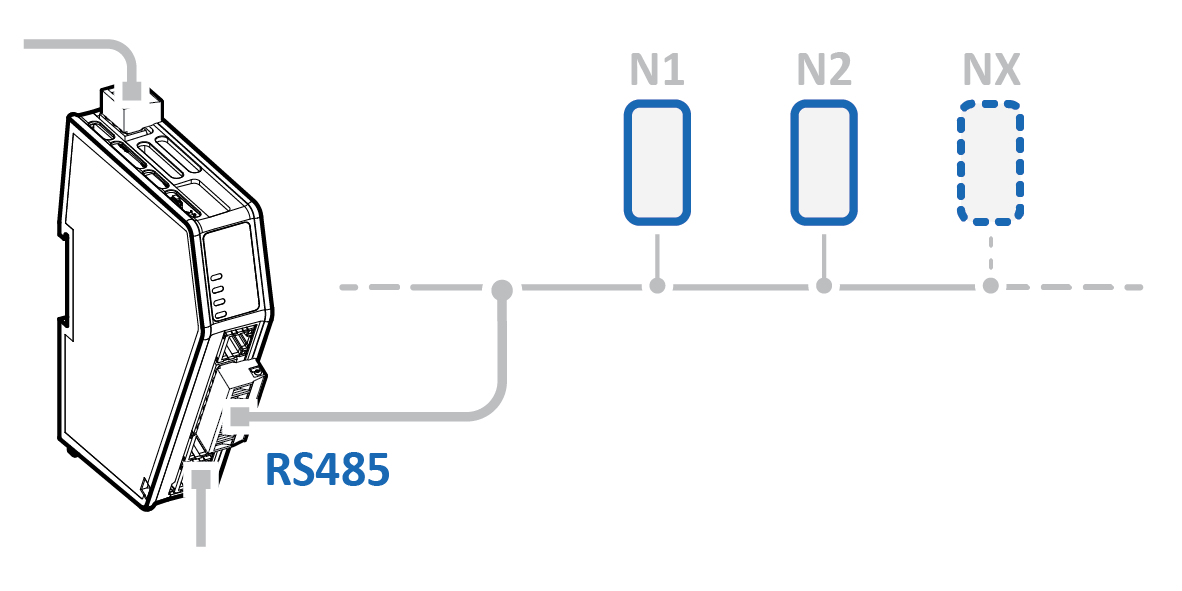
RS-485
Use RS-485 when multiple nodes are connected to the subnetwork.
Baud rate
Specify the baud rate; the serial transfer speed, maximum bits per second.
Select a baud rate value from the Baud rate drop-down menu.
Data bits
Data bits is the number of bits used in the data representation of characters in the telegrams.
The rate for Modbus RTU is 7 data bits or 8 data bits. The default setting is 8 data bits.
Setting | Value |
|---|---|
Baud rate | 1200 baud |
1800 baud | |
2400 baud | |
4800 baud | |
9600 baud, Default value | |
19200 baud | |
35700 baud | |
38400 baud | |
57600 baud | |
115200 baud | |
128000 baud |
Parity
Specify if parity should be used to detect errors in the data.
Select parity value from the Parity drop-down menu.
Setting | Value | Description |
|---|---|---|
Parity | None, Default value | No parity checking Parity bit is not transmitted |
Odd | Odd parity checking | |
Even | Even parity checking |
Stop bits
Specify the number of stop bits used to indicate the end of data transmission.
Select a stop bits value from the Stop bits drop-down menu.
Setting | Value |
|---|---|
Stop bits | 1 stop bit, Default value |
2 stop bit |
Apply Configuration
To apply the settings, click Apply in the web-interface header, and follow the instructions.