Setup the Transactions
Set up the communication between the node and the master.
In this example, the communication between the Temperature Regulator and the PLC.
The Temperature Regulator has two Modbus transactions:
One registers holding the setpoint temperature.
One registers holding the actual temperature.
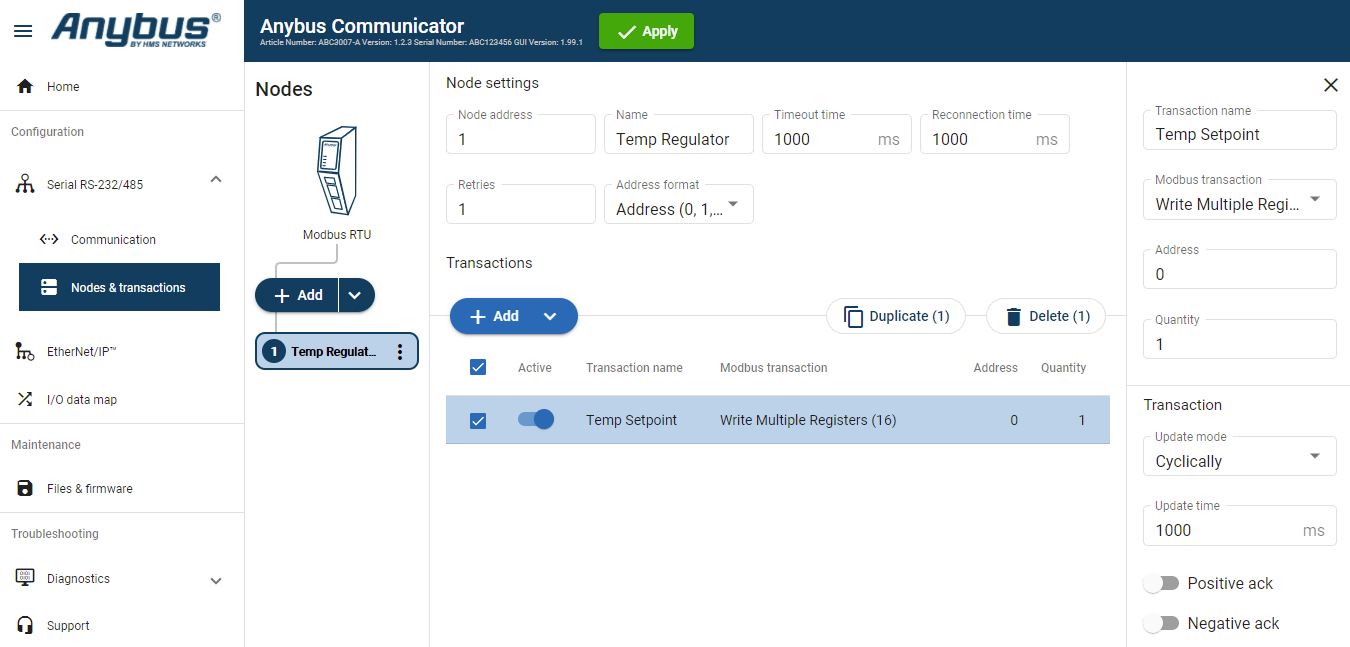 |
Select the node.
To add a transaction, click .
Select the transaction to configure.
In the transaction sidebar, on the right side of the screen.
Enter values for the transaction settings.
Table 3. Setpoint temperature transaction settingsSetting
Value
Description
Transaction name
Temp Setpoint
Give the transaction a name.
Modbus transaction
Write Multiple Registers (16)
The PLC writes a block of contiguous registers to the temperature regulator.
Address/ Register
Address: 0
Register: 1
Address 0 is Register 1.
Quantity
1
The transaction will address one data object.
Update mode
Cyclically
The temperature regulator sends a new message cyclically, every 1000 ms.
Update time
1000 ms
The update cycle is 1000 ms.
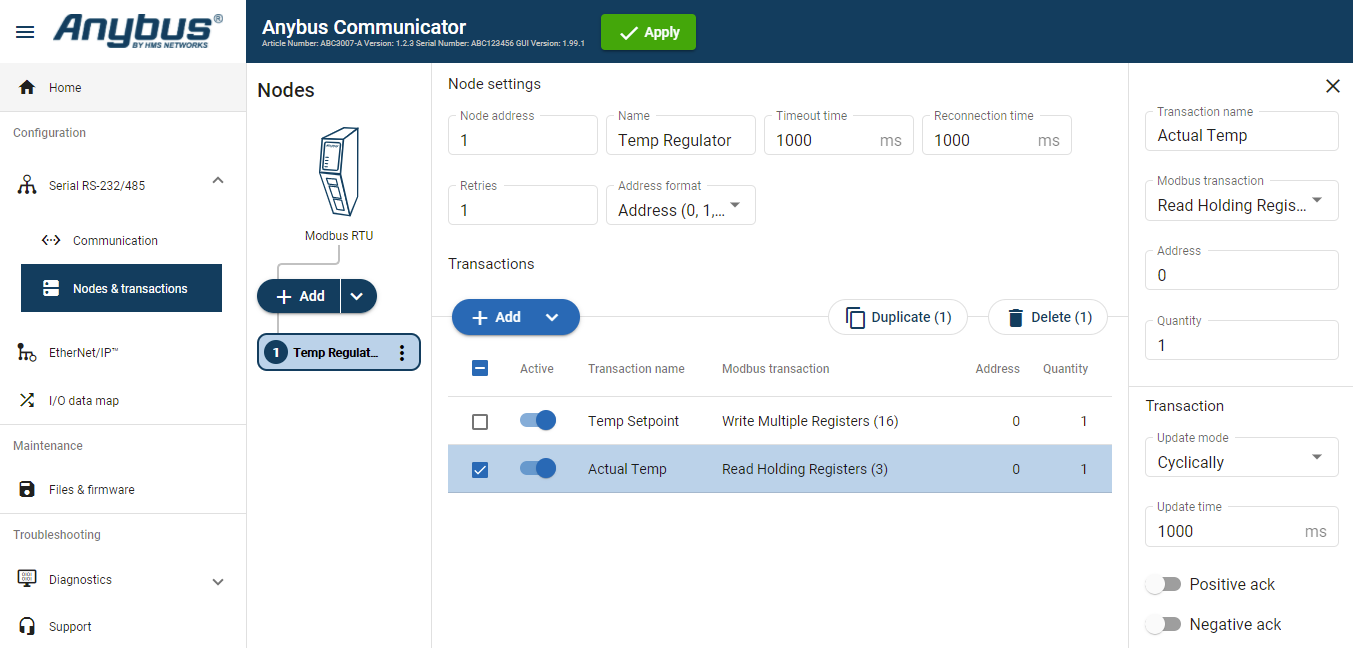 |
To add a second transaction, click .
Select the transaction to configure.
In the transaction sidebar, on the right side of the screen.
Enter values for the transaction settings.
Table 4. Actual temperature transaction settings:Setting
Value
Description
Transactio name
Actual Temp
Give the transaction a name.
Modbus transaction
Read Holding Registers (3)
This register read the actual temperature from the temperature regulator to the PLC.
Address
Address: 0
Register: 1
Address 0 is Register 1.
Quantity
1
The transaction will address one data object.
Update mode
Cyclically
Default value, can not be changed.
Update time
1000 ms
The update cycle is 1000 ms.