Update Firmware
Before You Begin
Important
To eliminate the risk of interference with plant operation, firmware update is only available when the Communicator is disconnected from the OT networks.
Ensure that the Communicator is disconnected from the OT networks.
Procedure
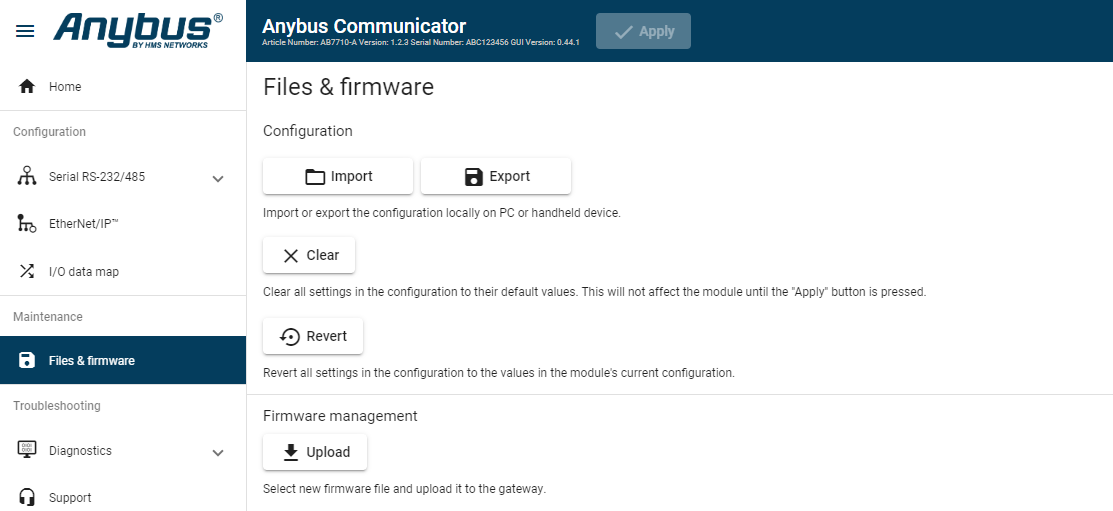
Figure 116. Files & firmware page
 |
To update the firmware:
On the page, click Upload.
In the Upload Firmware window, click Select firmware (.hiff).
In the Open dialog box, browse to and select the firmware file and click Open.
To start the firmware upgrade, click Update firmware.
The firmware file is validated and transferred.
Result
If the firmware file pass the validation: The firmware is upgraded and then the Communicator automatically reboots, for the upgrade to take effect.
If the firmware file is rejected: An error message appear.