To Use DHCP Server
Figure 61. IP Settings, DHCP enabled
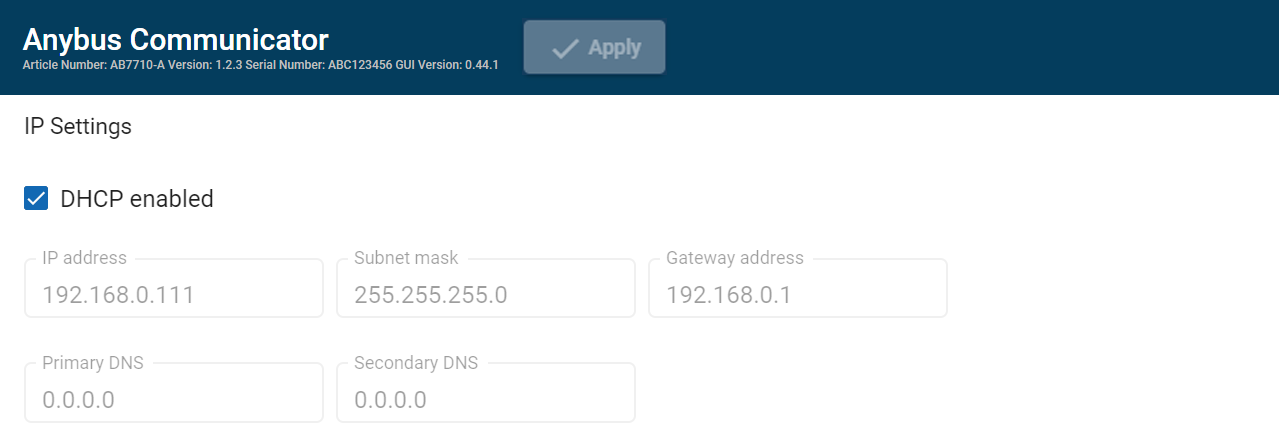 |
By default, the IP settings are provided by the high level network DHCP server. The DHCP enabled checkbox is selected.
Default Communicator IP Settings
The Communicator comes with the following factory default IP settings:
Setting | Default value |
|---|---|
DHCP | Enabled |
IP address | 192.168.0.10 |
Subnet mask | 255.255.255.0 |
Gateway address | There is no default Gateway address. |
Primary DNS server | There is no default Primary DNS server. |
Secondary DNS server | There is no default Secondary DNS server. |
Hostname | You can label the Communicator. Maximum length is 64 characters. No symbol characters, punctuation characters, or whitespace are permitted. Write the Hostname as one single word. |